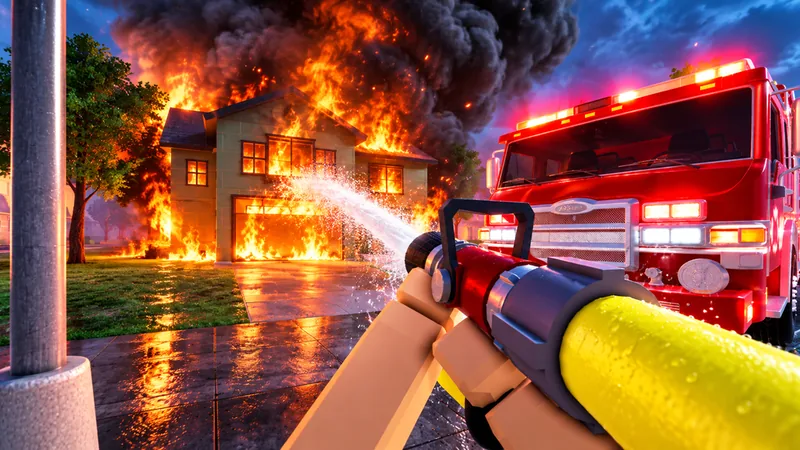
How do you start a Firefighting Sim call?
Start by reading the active incident and its objectives, checking an available vehicle, following the game's directions to the scene and reading the equipment prompts. Firefighting Sim's official loop combines emergency calls, driving in Oak Ridge, first-person fire attack and searching for victims.
This guide is a practical reading checklist built from the official description and published badge conditions. It is not an independently tested controls walkthrough. Exact dispatch interactions, vehicle requirements and completion criteria remain unconfirmed.
A first-call checklist
Identify the current incident
Read the call name and displayed objectives. The emergency finder shows names supported by the developer, but does not establish a fixed objective script for each name.
Inspect a vehicle you can access
Use the current vehicle interface to check availability and equipment. A category name in the wiki is not proof that every model is unlocked for a Recruit.
Follow the game's directions to the scene
The official description places the driving and emergency loop in Oak Ridge. Exact routes and fixed call coordinates have not been verified here.
Read the equipment interaction
The description includes hose lines, ladders, forced-door tools and masking in smoke. Check the on-screen prompt on your platform before assuming a key or tool requirement.
Check fire and rescue objectives
Search and rescue is part of the described loop. Look at the current objectives to distinguish fire work from a victim search. K9 commands and carrying controls are not verified by this guide.
Read the completion feedback
The game describes graded calls. First Alarm's official badge condition concerns completing your first call. Check the result instead of treating one extinguished flame as proof that every objective is complete.
Which vehicle and equipment should you use?
Check the active call and the available vehicle's current equipment. The official description names six vehicle categories, but does not supply a verified best-truck matrix, numeric performance comparison or universal loadout.
Axes and chainsaws are described for forced doors, hose lines for fire work, and a K9 partner for searching burning buildings. These feature descriptions do not prove the correct interaction, unlock or tool for every scene. Use the equipment overview to identify the supported feature, then confirm its prompt in the live session.
What does a beginner milestone actually measure?
| Target | Published condition | What it does not establish |
|---|---|---|
| Lifesaver | Carry a victim out alive | Carrying control, rescue timing or rank XP |
| First Alarm | Complete your first call | Exact completion script, XP reward or a rank unlock |
What commonly needs a second check?
- A call's visible objectives may include more than the part of the scene you first notice. Read them before deciding the call is finished.
- A truck-category name does not specify its live price or your current unlock. Check the vehicle interface before planning around it.
- A badge condition measures an achievement. Do not assume it is the next rank requirement.
- A tutorial can demonstrate the game without establishing current values on every platform or server.
Continue with a connected question
Trucks
Read the supported trucks information and source limits.
Open trucksEmergencies
Read the supported emergencies information and source limits.
Open emergenciesEquipment
Read the supported equipment information and source limits.
Open equipmentRanks
Read the supported ranks information and source limits.
Open ranksUpdates
Read the supported updates information and source limits.
Open updatesFirst-call questions
What should my first-session goal be?
Understand the active objectives and the result of one call. This is a practical learning goal, not a promise of a specific reward or rank.
Can I follow this as a keyboard sequence?
No. Exact controls have not been verified. Read the current game prompts on PC, mobile or controller instead of using guessed keys.
Does rescuing a victim automatically complete the call?
That completion relationship is not established by the inspected sources. Lifesaver concerns carrying a victim out alive; the current call may have other objectives.
Sources and evidence boundaries
- Firefighting Sim — official Roblox description
Blackbox Express's description supports the advertised vehicle categories, named emergencies, hose/ladder/forced-entry/mask/K9 features and Recruit-to-Fire Chief progression. It does not establish exact controls, prices, model stats, complete ranks, XP or rewards. These are officially described features, not independent in-game measurements.
Accessed - Roblox — this experience's official badge records
The inspected API returns seven enabled badges tied to this experience and their published conditions. Counts below refer to calls, living rescued victims or consecutive login days as described on October 6, 2026. They are not rank XP, vehicle unlocks or measured award probabilities; day-boundary and reset details remain unknown.
Accessed